Every bookmark you've ever saved.
One keystroke away.
Neatlink is your instant source of truth for every bookmark you save in any browser. Now with a native macOS app for one-keystroke access.
Your bookmarks. From any app. With one keystroke.
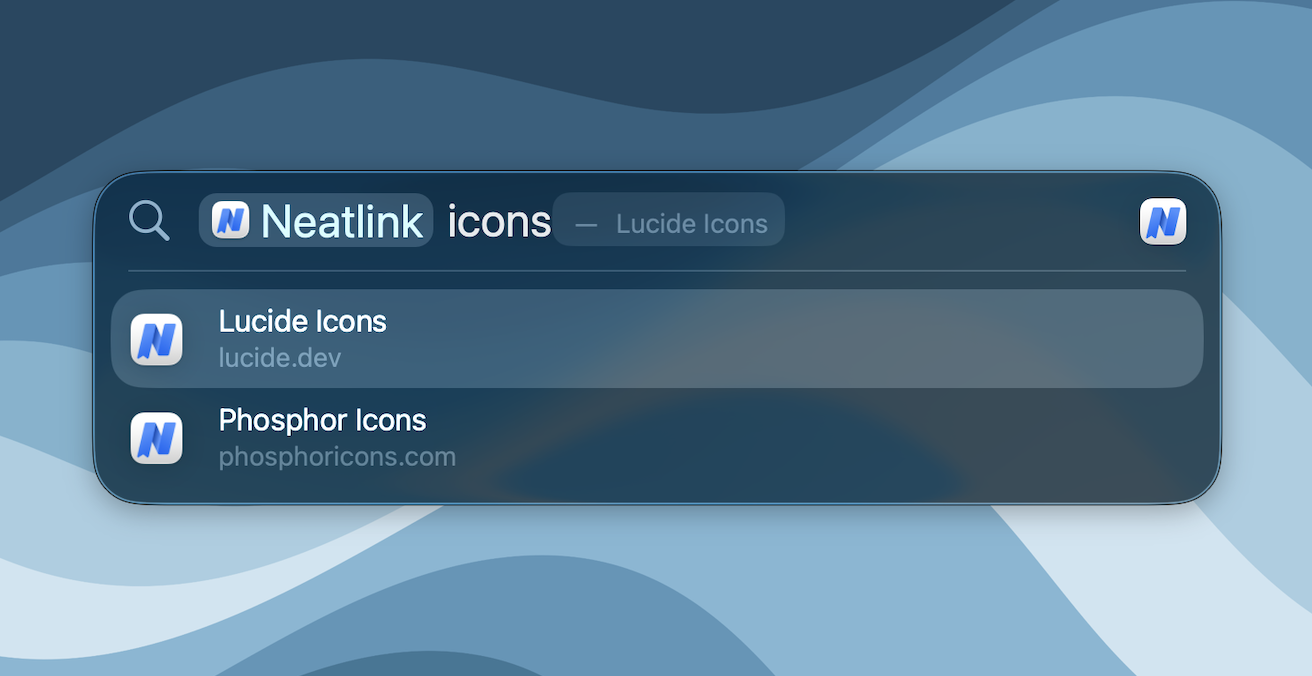
Neatlink for Mac lives in your menu bar. Press ⌃Y from any app - Mail, Slack, Xcode, your terminal - and your full bookmark library appears. Type a few letters. Hit Enter. The link opens in your default browser.
Or skip the popover entirely: every bookmark is in macOS Spotlight. ⌘Space, type a few letters, done.
- ⌃Y from any app. Rebindable in Settings.
- Indexed in macOS Spotlight - every bookmark and every folder.
- Real keyboard navigation - arrows, ⌘F, type-to-search, Backspace.
Pin your favorites. One tap to anything.
Star any folder - work links, recipes, a research collection - and it becomes a one-tap pill at the top of every Neatlink popup on that device. Drag to reorder. Pin different folders on different machines: work projects on your work Mac, recipes at home, side projects on your laptop. The folders are everywhere; the pins are yours per device.
- One-tap pill at the top of every Neatlink popup
- Drag-reorder; remembers your layout per device
- Per-device - pin different folders on different machines
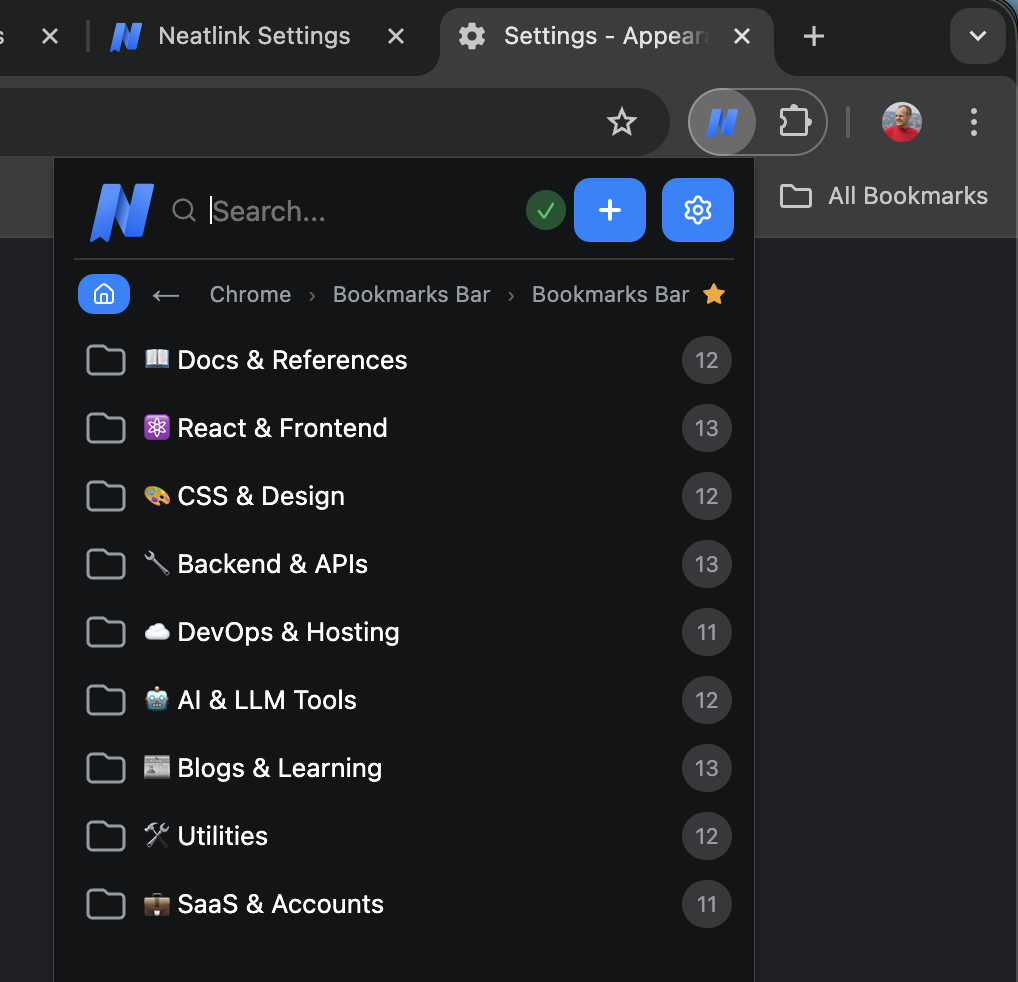
Star any folder to make it a one-tap pill at the top of your popup on this device.
Save it in Chrome. It's already in Safari.
Don't email links to yourself. Don't import, export, or reconcile. Anything you bookmark in Chrome shows up in Safari, Firefox, and your other devices within a minute. You don't have to change your habits - keep saving and organizing bookmarks in your native browsers exactly as you usually do. Neatlink background-syncs everything neatly and conveniently, without locking you into a proprietary custom database or app.
- No vendor lock-in: keep saving bookmarks in your native browser exactly as usual.
- Bidirectional sync with each browser's native bookmarks.
- Other devices appear as read-only cloud folders to prevent accidental deletions.
Send a research folder as a link.
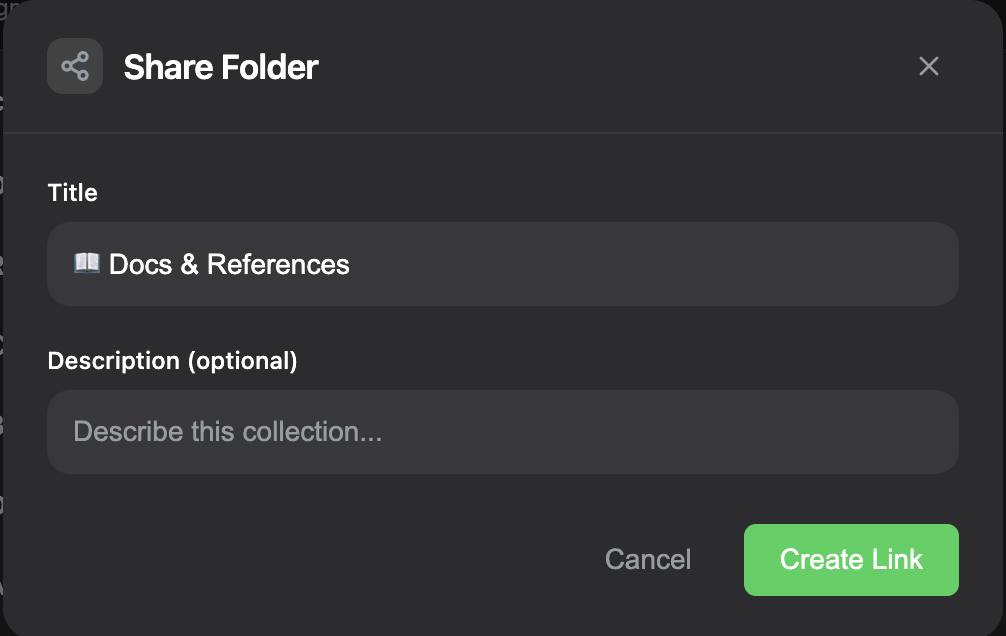
Click the Share icon on any folder. You get a public URL anyone can open in a browser - no signup, no extension needed. Recipients can browse the collection or import it into their own Neatlink with a single click. Links expire automatically, so old collections don't sit around forever. Bookmark contents are encrypted with a per-collection key embedded in the URL fragment, so even our servers can't read them.
- Public link - no signup for the recipient
- One-click import to recipient's Neatlink
- Auto-expiring: collections don't linger
- Per-collection encryption (key in URL fragment)
Built for the way you actually use bookmarks.
No matter how many you have, how you organize them, or how often you change your mind.
Keyboard everything
Arrow keys, ⌘F, Enter, Backspace, type-to-search. No trackpad required.
Trash with undo
Delete a folder, change your mind. Restore with one click. 30-day tombstones across devices so deleted bookmarks stay deleted everywhere.
Bulk by the thousand
Shift-click to range-select, ⌘-click to add. Move, star, or trash thousands of bookmarks at once.
Drag-and-drop everywhere
Reorder folders, pinned pills, and bookmarks the way macOS expects. Works in the popup and in the full-page view.
Universal HTML backups
Weekly Netscape-HTML exports to your own Google Drive. Re-importable into any browser.
Smart device grouping
Chrome on your laptop, Chrome on your desktop, and Chrome on your work PC merge into one "Chrome" group. Less clutter, same coverage.
Up and running in under a minute.
No forms. No passwords. No account to create.
Install
Add Neatlink to your browser from the Chrome Web Store or Firefox Add-ons. Or download the Mac app directly from our site.
Sign in with Google
Authorize Neatlink to use a hidden corner of your Google Drive. We never store your synced bookmarks on our servers - your Drive is the only sync backend.
Done - bookmarks sync everywhere
Install on your other devices and the same Google sign-in pulls everything down. Encrypted on your device before leaving, encrypted in transit, encrypted at rest in your Drive.
Get the Mac appMac
For ⌃Y from anywhere and bookmarks in Spotlight, grab the menu-bar app. Notarized, free, opens in your menu bar with no Dock noise.
Your bookmarks stay yours.
Your bookmarks are encrypted on your device before they reach your Google Drive, and Neatlink runs no bookmark storage of its own. The key never leaves your device.
Client-side encryption
Encrypted with AES-GCM-256 on your device before leaving.
Your Drive, not ours
Bookmark data lives in your own Google Drive. We use storage you already trust instead of creating new third-party risk.
Encrypted before upload
Your bookmarks, folders and favicons are encrypted on your device with AES-GCM-256 before they are uploaded. The key is derived on your device from your Google identity and is never stored or sent anywhere.
No tracking. None.
No analytics. No cookies. No third-party scripts. We don't run telemetry - there is nothing to opt out of.
Who is it for?
The cross-browser nomad
Chrome on Windows for work. Arc on your laptop for side projects. Safari on your Mac at home. With Neatlink, every link is on every machine.
The researcher with four thousand links
Active project folders. Archives. Starred for the current dig. Find anything in two keystrokes - popup, popover, or Spotlight.
The privacy preservationist
Encrypted on your device. Your bookmarks live in your own Google Drive, not on someone else's servers. No analytics. No ad-tech middlemen. No data resold to anyone.
Available now for every browser you use.
Free. No ads. No data sold.
Neatlink is free to use today. We don't run ads, sell your data, or pad the page with sponsored bookmarks. Core features will stay free; some advanced capabilities (iOS, semantic search) may become paid later.
Stop losing bookmarks between browsers.
One install. Every browser. Every device. One keystroke on your Mac.
Free. No account on Neatlink required. Your bookmarks stay in your own Google Drive.
Common questions.
Neatlink is a free cross-browser bookmark manager for Chrome, Edge, Firefox, Safari and every Chromium browser, with a native macOS app. It syncs the bookmarks you already keep in each browser through your own Google Drive, encrypted on your device, so a link saved in Chrome at work is in Safari at home about a minute later. There is no Neatlink account and no telemetry.
Neatlink uses Google Drive as your bookmark backend. We chose Drive because most people already have it, it's reliable, and storing data on a service you already use means no new third-party risk. Other storage providers - Dropbox, iCloud, OneDrive - are on the roadmap.
Not at all. Neatlink lives locally in your browsers and, optionally, on your Mac. It's designed to work in absolute harmony with your existing browsers' bookmark systems. You can keep saving, deleting, and reordering bookmarks exactly as you always have using your browser's native tools. We do not block, hijack, or force you into a walled database. Neatlink simply organizes and syncs everything in the background. Our servers never see your bookmark data. They're only involved in keeping you signed in to Google (token handshakes) and when you choose to share bookmark folders with others.
Yes. Install the Chrome extension and it works on every Chromium-based browser. Same features, same UI. Edge also has its own listing in the Edge Add-ons store. The Mac app needs macOS 14 or later.
Raindrop stores your bookmarks on its servers, behind its account, with key features behind a paywall. Neatlink stores your bookmarks in your own Google Drive, behind your own Google account, encrypted on your device. The core features are free, with no ads.
Yes. Click the Share icon on any folder. You get a public URL anyone can open without signing up. They can browse the folder or import it into their own Neatlink with one click. Links expire after 30 days so collections don't outlive their usefulness. Bookmark contents are encrypted with a per-collection key that lives only in the share URL - even we can't read shared bookmark contents.
Your bookmarks live in your own Google Drive as encrypted files - Neatlink doesn't host them. Weekly HTML backups (also in your Drive) are universally importable into Chrome, Firefox, Safari, Edge, and every other browser. You can leave at any time with everything you came with.